

How to Boost Wellness Engagement With Stridekick Announcements
Discover 14 ways to use Stridekick Announcements to boost wellness engagement, promote benefits and events, re-engage past participants, and keep challenges active.
Getting people to join a wellness challenge is one thing. Keeping them engaged is another. One of the simplest ways to keep participation up is also one of the easiest to overlook: communicate with people while they're already engaged.
That's exactly where Stridekick Announcements can help. 🥳
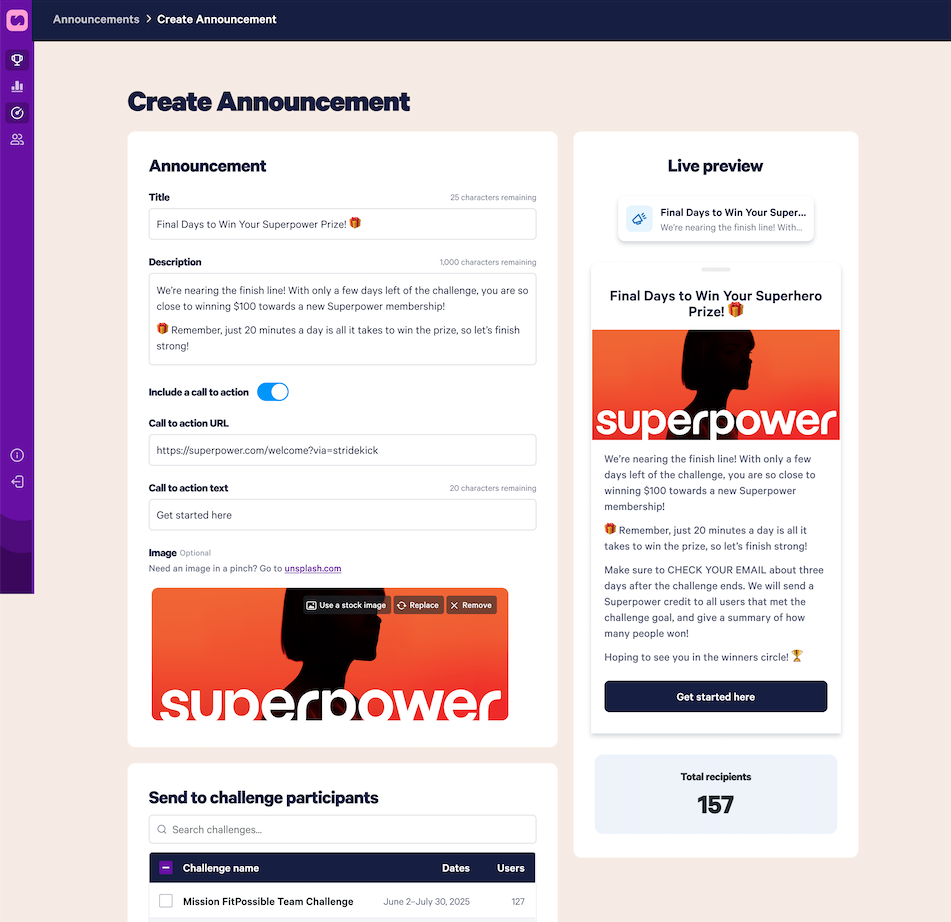
Announcements allow admins to send messages directly to challenge participants in the Stridekick app. Send one immediately or schedule it ahead of time, optionally trigger a push notification, add an image, include a call-to-action button, and choose which challenge participants receive it.
Announcements are perfect for challenge reminders, but they can do a lot more. Used strategically, they become another communication channel for a wellness program, benefits, events, campaigns, and year-round engagement.
Why Use Stridekick Announcements Alongside Email, Slack, and Teams?
Slack and Teams are great. They're also crowded. A wellness reminder lands between a dozen project updates, a GIF from marketing, three meeting notifications, and someone asking who ordered lunch. Email has the same problem: important messages compete with everything else happening at work.
Announcements offer something different: context. Someone opening Stridekick is already there because they joined a challenge, are checking their activity, following their team, or working toward a goal. That's a moment when health, activity, and participation are already top of mind, which makes Announcements especially useful for the messages an admin really wants seen.
14 Ways to Use Stridekick Announcements to Boost Wellness Engagement
1. Build excitement before a challenge starts
Engagement doesn't have to begin on Day 1. Use Announcements to build anticipation for what's coming, especially when messaging people who joined a previous challenge.
Title: Ready for the next one?
Description: Our next challenge, [Challenge Name], starts on [Date]! This time we're [brief description of challenge or goal]. Ready to join us again?
CTA: Join the Challenge
Announcements are only one part of a strong launch. 12 Ways to Launch Your Step Challenge With a Bang has more ideas for building buzz and driving sign-ups.
2. Kick off the challenge with energy
A launch-day announcement is a good place to restate the goal, explain what participants should do first, and set the tone.
Title: And we're off!
Description: Today is Day 1 of [Challenge Name]! Over the next [X] days, we're working together to [goal]. Make sure your device is connected, keep syncing throughout, and cheer on your fellow participants. Don't forget to explore the shop while you're here to treat yourself and save. Let's go!
3. Send the reminders people actually need
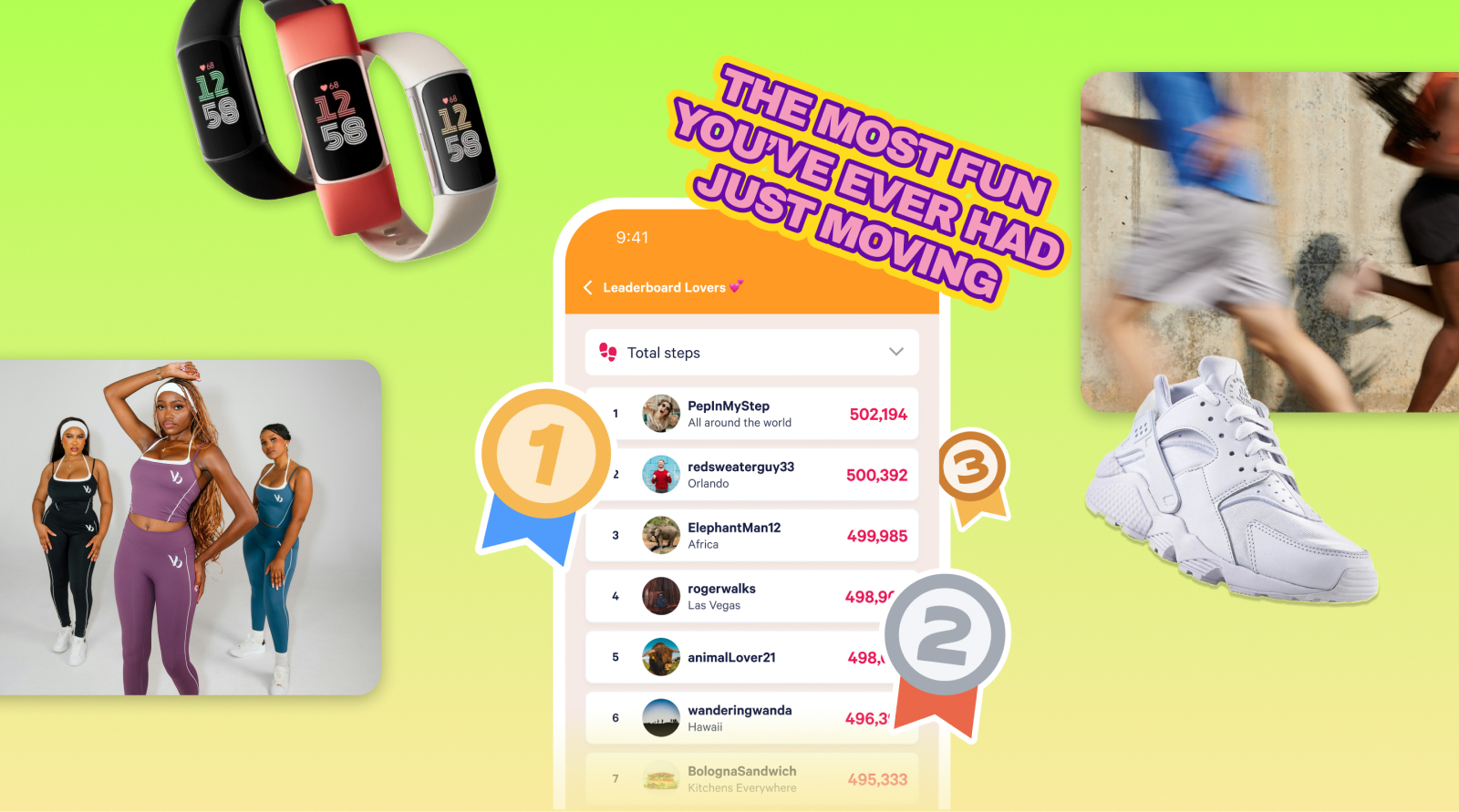
Engagement often drops for a simple reason: people forget. Announcements bring participants back at the moments that matter, with reminders like syncing a device, checking the leaderboard, logging an activity, joining a team, setting a goal, or finishing strong before a challenge ends.
Title: Quick sync check!
Description: Don't forget to sync your activity today so your steps make it into the challenge. Open your fitness app first, then open Stridekick to refresh. Every step counts!
CTA: Sync Troubleshooting
4. Create a mid-challenge momentum boost
Week one is exciting. Week three can be quieter. That's exactly when an announcement helps: share how far the group has come and give everyone a reason to check back in.
Title: Look what you've done!
Description: We're halfway through [Challenge Name], and together we've already reached [X steps/miles/activities]. That's [fun comparison or milestone]! Check your progress, cheer on your teammates, and keep it moving.
For more ways to revive a quiet stretch, see 12 Ways to Boost Engagement in Your Step Challenge.
5. Celebrate more than the leaderboard's top spot
Recognition makes a challenge feel human, and shoutouts don't have to go only to the top three steppers. Consider celebrating the most improved, the most consistent, a team making a comeback, or someone hitting a personal goal.
Title: Consistency shoutout!
Description: This week's shoutout goes to everyone showing up day after day. A special high five to [Name], [Name], [Name]. Small actions add up. Keep going!

6. Give the final days a push
A challenge ending soon is a natural reason to send one more message.
Title: The final countdown!
Description: Only 3 days left! Whether you're chasing the leaderboard, your personal goal, or just a few more walks this week, there's still time. Finish strong!
How to Use Announcements Beyond Your Wellness Challenge
Stridekick participants are already an audience interested enough in health, activity, or friendly competition to join a program. That audience is worth reaching about more than the challenge itself.
7. Help employees find and use their HSA/FSA dollars
HSA/FSA is one of the most underused and powerful benefits an employer offers, and many employees may not even know whether they have one, how much is available, or what they can actually use it for.
Announcements are a simple way to change that. Start by telling employees how to check their account, including the name of your HSA/FSA provider, like Forma or Optum. Then explain why it matters: employees may already be using regular paycheck dollars for health and wellness purchases that could be paid for with pre-tax HSA/FSA funds instead, freeing up more of their paycheck for expenses like rent, gas, and groceries.
The Stridekick Shop can help turn that awareness into action. Nearly 50% of Shop products are HSA/FSA eligible, including categories people may not expect, like skincare, recovery, longevity, supplements, and everyday wellness. Admins can also link directly to the Stridekick Shop HSA/FSA collection or educational content like Is Skincare HSA/FSA Eligible?.
.jpg)
Instead of sending one generic reminder, try a simple three-part campaign:
1. Explain the benefit
Title: Your HSA/FSA, explained
Description: HSA and FSA funds are pre-tax dollars you can use for eligible health and wellness expenses. Learn how they work and what may qualify.
CTA: Learn the Basics → HSA vs. FSA: How Do These Things Work?
2. Help employees find their funds
Title: Do you have HSA/FSA funds?
Description: Not sure whether you have an HSA or FSA? Check your benefits portal or log in with [Provider Name] to confirm your account and current balance.
CTA: Check Your Balance
3. Show them what they can use it for
Title: More than you'd think qualifies
Description: Everyday health and wellness, recovery, longevity products, supplements, and more may qualify for HSA/FSA spending. See what's eligible in the Shop.
CTA: Shop Eligible Items → Stridekick Shop HSA/FSA Collection
8. Promote wellness events
An on-site yoga class, a virtual fitness session, a webinar with a wellness coach, a benefits fair, a lunch-and-learn: any of these can go into a regular internal newsletter, and can also go directly in front of people already participating in the wellness program.
Title: Join us for yoga!
Description: Need some recovery after all those steps? We're hosting a yoga class this Thursday at 12 PM at [Location]. All levels welcome.
CTA: Save Your Spot
The message matches the context, which is the actual advantage of this channel.
9. Increase awareness of an underused benefit
One useful question for any program admin: of everything the organization pays for, which benefit gets the least attention? Promote that one. If a challenge runs several weeks, feature it two or three times rather than relying on a single annual email to do all the work.
Title: Have you used [Benefit]?
Description: Did you know you have access to [Benefit Name]? You can use it for [short description of what employees receive]. It's already part of your benefits, so don't leave it on the table.
CTA: Explore Your Benefit
Announcements won't replace a broader benefits communications plan, but they add one more chance to put an important message in front of the right people.
.jpg)
10. Support open enrollment
Open enrollment comes with a lot of information and a lot of reminders. Because announcements can be scheduled in advance, an admin can build reminders for enrollment opening, plan changes, HSA/FSA information, or the deadline itself into a communication plan before enrollment even starts.
Title: Enrollment ends Friday
Description: Friendly reminder: Open Enrollment closes this Friday! Still deciding between plans or have questions? Visit [Benefits Site] for plan information and resources.
CTA: View Benefits
11. Promote another health initiative
If an organization is running another health campaign (preventive care reminders, a flu shot clinic, an employee assistance program, a volunteer event), Announcements can connect that campaign to the same audience already showing up for the challenge.
Title: Quick health reminder
Description: When was your last preventive care visit? Take a few minutes today to see what's recommended for you and schedule anything you've been putting off.
CTA: Learn More
12. Re-engage people from a previous challenge
Past participants aren't just a historical list. They're one of your warmest audiences for the next challenge: they already know Stridekick, already have the app, and already showed interest once.
Because recipients are chosen from a searchable list of every challenge on the account, live or already finished, an admin can select last quarter's roster directly, without re-inviting anyone to anything.
Title: Miss us?
Description: It's almost time to get the crew back together. [New Challenge Name] starts [Date], and we'd love to see you back. This time we're [short description]. Ready for round two?
CTA: Join Us
That reminder can be the difference between hoping people notice another email and actively inviting past participants back in. It's also worth not treating each challenge as a standalone event. Why You Shouldn't Run Just One Challenge (and Call It a Day) covers why running challenges consistently builds more habit and community than a single one-off.
13. Ask participants what they want next
Announcements don't only have to tell people things. They can invite people into the conversation.
Title: You pick the next challenge
Description: We've narrowed our next Stridekick challenge down to three ideas, and we want you to choose. Cast your vote by Friday!
CTA: Vote Now
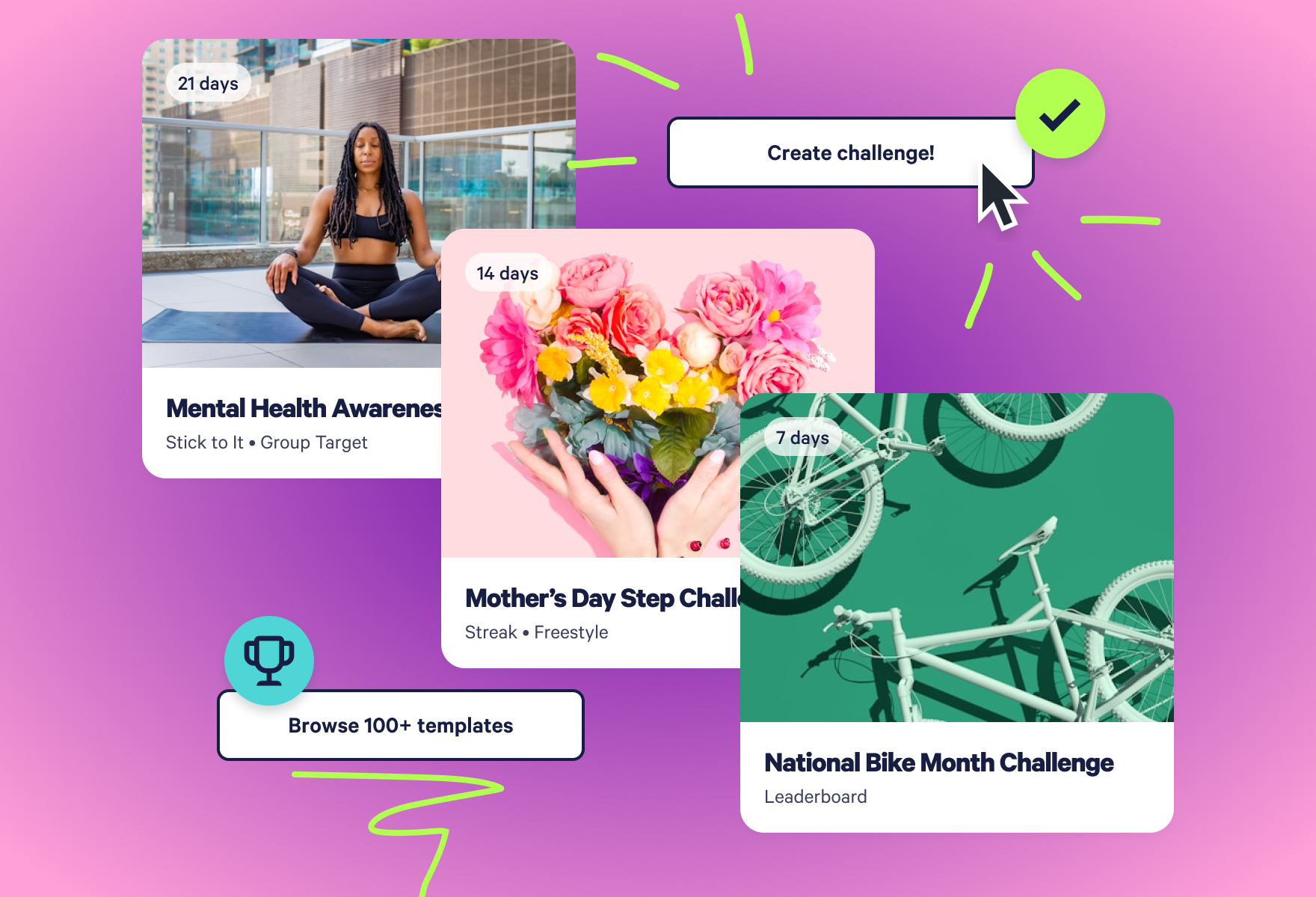
Once the group has voted, there's no need to build the winning idea from scratch. 100+ ready-to-launch Challenge Templates cover different goals, seasons, modes, and activities.
14. Give people a clear next step
Every announcement can include a call-to-action button linking to another resource: a benefits portal, event registration, an employee survey, a challenge registration page, the Stridekick Shop, or the next challenge. Instead of telling someone something exists, an announcement can give them an immediate next step.
Title: Find your next favorite
Description: Looking for new ways to support your health goals? Explore fitness, recovery, sleep, and wellness picks in the Stridekick Shop.
CTA: Explore the Shop
How to Build Announcements Into Your Wellness Communication Plan
Announcements don't require a new message idea every morning, and bombarding participants with notifications isn't the goal. A handful of intentional touchpoints, planned before the challenge starts, works better than sending something just because it's possible.
A four-week challenge might look like this:
- Before the challenge: Upcoming challenge invitation
- Day 1: Kickoff message
- End of Week 1: Sync reminder
- Week 2: Group progress + participant shoutout
- Week 3: Promote your HSA/FSA
- Final week: Final push
- After the challenge: Celebrate results + invite people to what's next
Announcements can be scheduled ahead of time in SuperDash, so nobody has to remember to send every update manually once the challenge gets busy. The same thinking scales beyond one challenge, too. The Annual Fitness Challenge Calendar covers a full year of challenge ideas; paired with scheduled announcements, that's a challenge calendar and a communication calendar built at the same time.
Tips for Writing Better Stridekick Announcements
- Keep the title short. Twenty-five characters isn't much room, so write the description first and pull the sharpest phrase for the title. "Halfway there!" beats "Reminder About Our Current Challenge."
- Give people something to do. Check the leaderboard. Register for the event. Explore a benefit. End with a clear next step whenever the CTA fits.
- Use push notifications intentionally. Not every message needs to buzz someone's phone; save push for anything genuinely time-sensitive.
- Make it relevant. The advantage of this channel is context. The closer a message connects to the moment someone's already in, the more natural it feels.
- Don't overdo it. A few useful, well-timed Announcements are usually more helpful than sending messages simply because you can.
.png)
Meet people where they already are
Wellness engagement isn't always about inventing a new program. Sometimes it's making sure people actually see the programs, resources, and opportunities already built. Stridekick gives an admin one more place to reach people while they're already engaged in something related to their health.
Use Announcements to remind people to sync. And also to celebrate, invite, educate, promote, and re-engage. The next time a wellness message is about to go into the usual inbox or Teams channel, it's worth asking: could this be a Stridekick Announcement too?
Ready to try it? Learn how to create and schedule Announcements in SuperDash, or see where participants find Announcements in the Stridekick app.
Stridekick Announcements FAQ
What can an admin send with a Stridekick Announcement?
A title (25 characters max) and description (1,000 characters max) are required. An image and a call-to-action button (20-character button text, linking to any https:// URL) are optional.
Can an announcement go to people who already finished a challenge?
Yes. Recipients are chosen from a searchable list of every challenge on the account, live or past, which makes re-engaging previous participants possible without re-inviting them.
If a participant is in more than one challenge, will they get multiple announcements?
No, not from the same announcement. If a single announcement is sent to several challenges, Stridekick treats the overlap as one audience, so a participant in more than one of those challenges gets it once. Sending two separate announcements to two different challenges would still show up as two separate messages, since those are genuinely different sends.
Can announcements be scheduled in advance?
Yes. Choosing "Schedule for later" opens a date and time picker instead of sending immediately, so a full communication plan can be set up before a challenge even starts.
Are there other ways to communicate inside the app besides Announcements?
Yes. The Challenge Chat gives participants a shared thread to talk directly with each other during a challenge, and it stays active in everyone's inbox for 10 days after the challenge ends. It's a good complement to Announcements rather than a substitute: Announcements is the admin's broadcast to everyone at once, while Challenge Chat is where participants cheer each other on, coordinate, and keep the energy going between announcements.
Are Announcements available on Free or Pro plans?
Announcements is only available with Stridekick Unlimited, which unlocks the full admin experience for organizations running ongoing wellness programs. With Unlimited, you get all 11 challenge modes, including group and team modes, SuperDash, 100+ Challenge Templates, Announcements, Multi-Admin functionality, and detailed reporting. Instead of simply creating a challenge, Unlimited gives you the tools to plan, launch, manage, communicate, measure, and keep participants engaged across your entire program.